Save Menu Placement and Layout
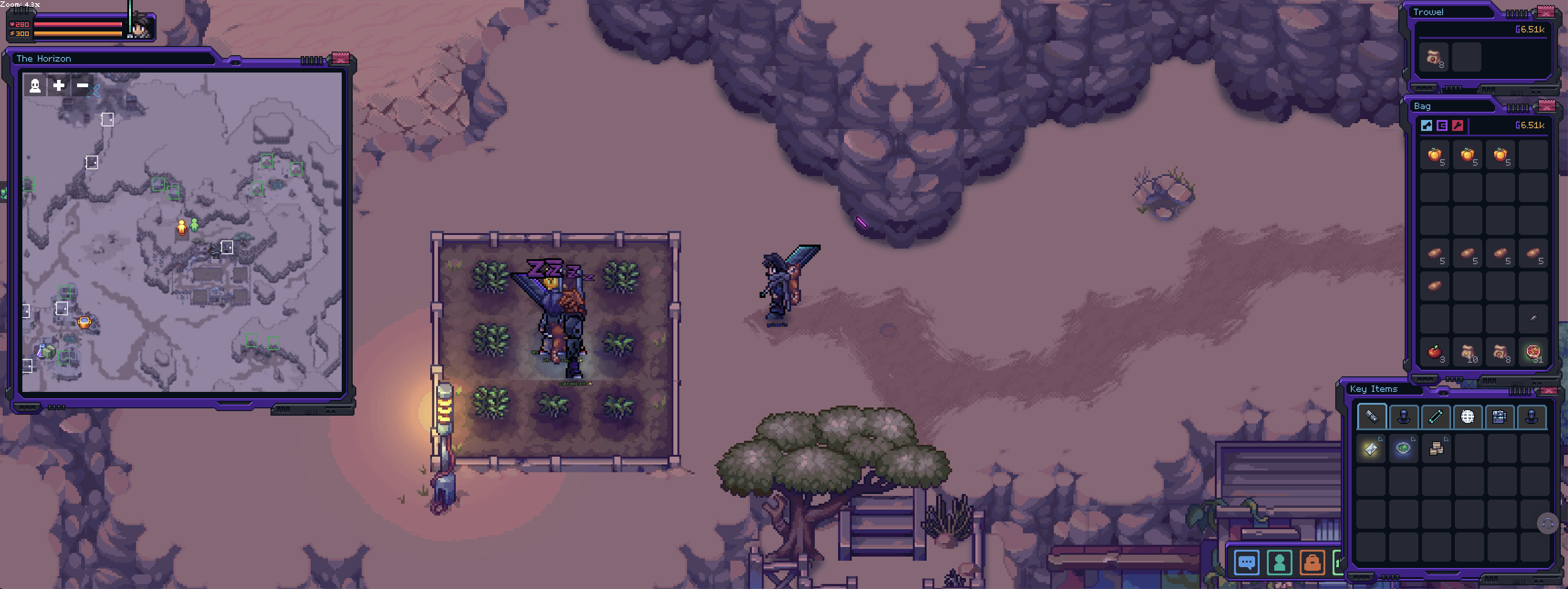
While playing Soulbound, I often open specific menus and arrange them in certain placements to enhance my gameplay experience, making it more efficient and easy to quickly reference key information. Since Soulbound is browser-based, I occasionally need to switch windows or refresh the game. When I refresh or reconnect after a disconnection, all the menus I had arranged are closed, forcing me to reopen and reposition them manually each time.
It would significantly improve the user experience if there were an option to toggle a setting in the Game Menu > Display Tab that saves the player's preferred open menu layout and positions. This way, players can seamlessly pick up where they left off without the extra step of setting up their interface again.
Suggested Solutions:
Save Layout Feature: Implement a "Save Menu Layout" option in the Display Tab that remembers the positions and states of opened menus. This layout could be reloaded automatically upon reconnecting or refreshing the page.
Auto-Restore on Reconnect: Introduce a feature that auto-restores the open menus and their placements when a player reconnects or refreshes, ensuring the interface remains as the player left it.
These changes could make returning to the game after a browser refresh or connection issue smoother.
Log in to comment and vote
No comments yet
Be the first to share your thoughts.